Games / Sinclair ZX Spectrum 128K
Wolfenstein 3D
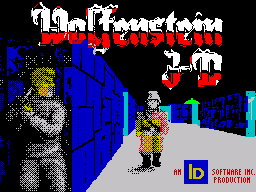
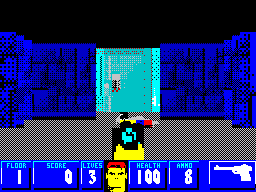
Wolfenstein 3D comes to the Sinclair ZX Spectrum 128K, with the game’s title screen and first-person action. The ZIP brings together the available disk formats.
Sinclair ZX Spectrum 128K · MGT · TRD · OPD · KDI
Edition details
Computer: Sinclair ZX Spectrum 128K
Verified configuration: 128K · +D · MGT
Format: MGT · TRD · OPD · KDI
Included files
The ZIP contains disk images in MGT, TRD, OPD and KDI formats. The startup instructions below were verified with the MGT version and a +D interface.
Starting the game
On a ZX Spectrum 128K with a +D interface, insert Wolfenstein_3D (Disc 1).mgt in drive 1, enter 128 BASIC and type RUN.
The disk includes the system files needed to boot. Wait for loading, the Outsoftware introduction and the Wolfenstein 3D title screen. In the verified Fuse setup, wait for the demo, press Esc to open Options, then choose New Game, the episode and difficulty. The Control menu offers the Keyboard option.
Controls
Movement: Q forward, A backward, O/P to turn left/right.
Fire: Space.
Open doors: Return.
Menu in Fuse: Esc. In the menus, use the arrow keys and Return to select.
Credits
Original game: id Software.
ZX Spectrum edition: Outsoftware, 2026.