Outsoftware BBS
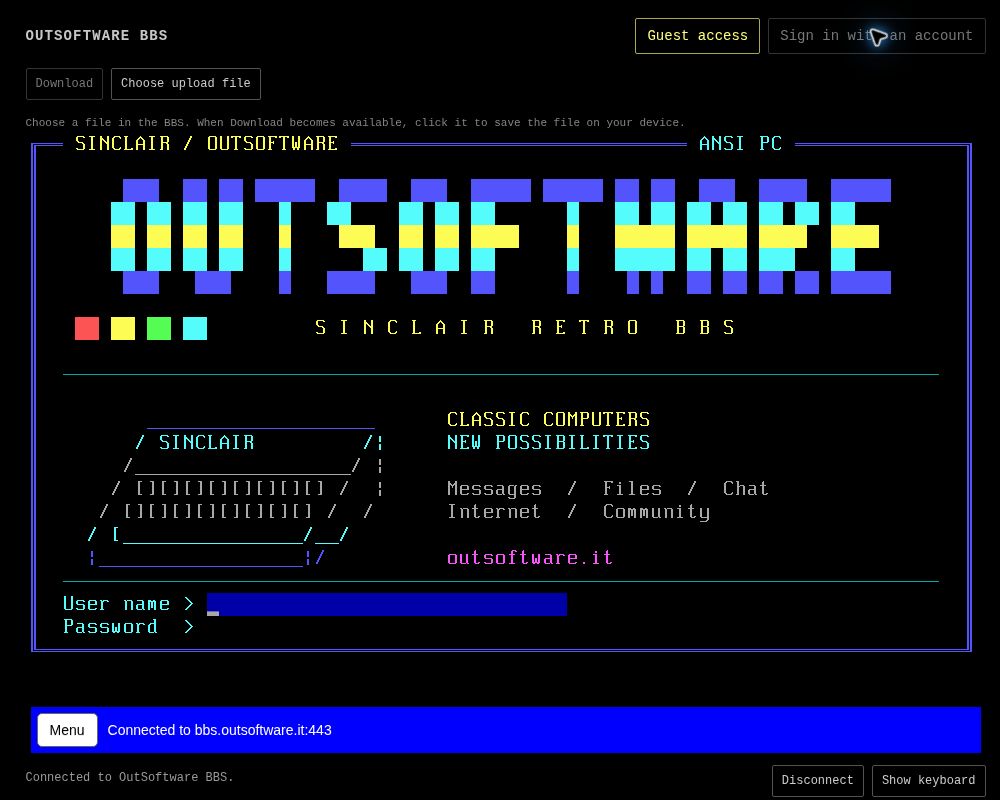
Ten years of BBS. A community of nearly a thousand members.
A completely renewed portal for our tenth anniversary: a new look, chat, research tools and file sharing. Connect through your browser or via Telnet and join the Outsoftware community.
Join the community: create your account. A personal account gives you access to free ChatGPT and web file transfers, with your own identity within the BBS.
Step inside as a guest
Automatic guest access lets you enter without registering. Read the news, browse RAI Televideo and join the chats, including RetroCampus Chat, where you can also find Outsoftware. A personal account gives you access to additional services.
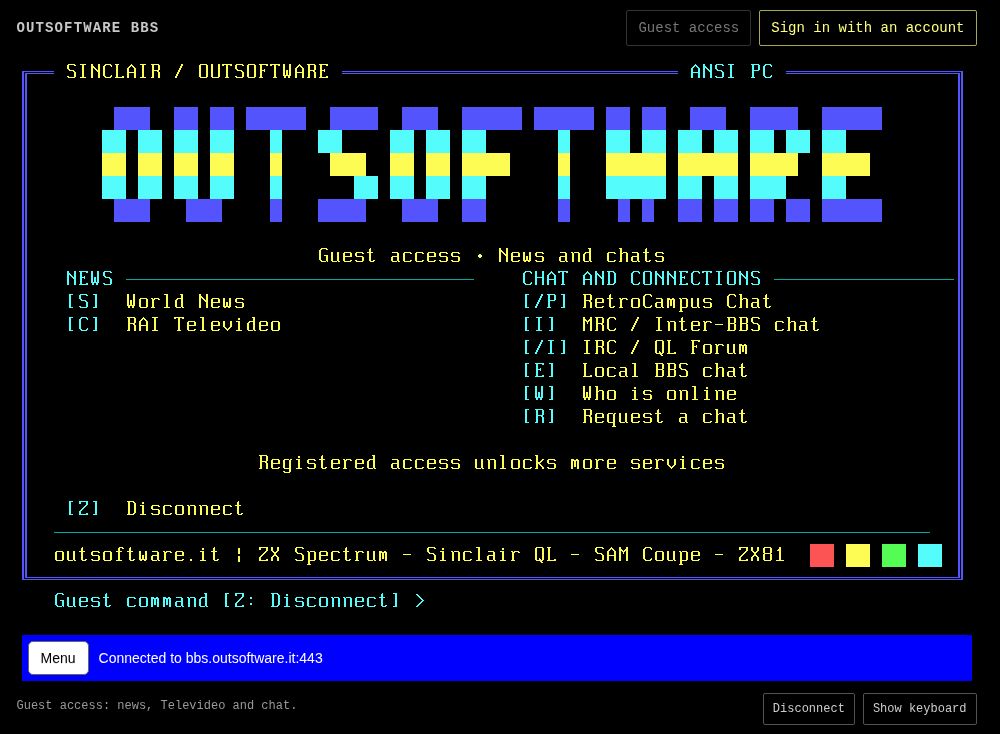
The guest menu: news, Televideo and chat connections, ready to explore.
Two ways to connect
From your browser
Open the portal: automatic guest access lets you enter without registering and reach news, RAI Televideo and chat. For additional services, choose Sign in with an account. There is no need to install a Telnet client.
With your Telnet client
You can also connect with a Telnet client, using this address and port 23.
bbs.outsoftware.it
Port 23
Free ChatGPT and Wikipedia
ChatGPT is available free of charge to registered users. Have a conversation, ask questions, explore a subject and use web search without leaving the BBS. From a retrocomputing question to a topic you would like to understand better, it is a place to develop an idea and continue the discussion.
Alongside conversation, Wikipedia lets you look up information and follow a subject through its articles. These are complementary paths: talk and search with an assistant, or explore an encyclopaedia directly, all from the BBS environment.
Meet us in the chat
The RetroCampus Chat menu entry connects you directly to the Retro Campus BBS chat, where you can also find us at Outsoftware. Reach us through our BBS and join the same meeting place for a conversation, a question or a discovery to share with other enthusiasts.
The menu also includes IRC / QL Forum, a connection dedicated to the Sinclair QL community, and MRC / Inter-BBS chat, where you can meet people connected through other BBS systems. Local chat and message areas complete the system’s communication spaces.
Files, sharing and a personal account
Archives are an important part of the BBS. Use the transfer features within the system or, with a registered account, upload and download directly through the web. The portal lets you combine exploring the BBS with managing files from your browser.
Start as a guest to read news and meet us in the chat. Registration gives you your own identity and access to the services and permissions reserved for registered users. These include ChatGPT and web file transfers: a personal account to take part in BBS life and make fuller use of what it offers.
Bulletins and information to explore
Outsoftware bulletins bring together announcements and BBS updates. The Messages / Newsgroups areas complement live conversation with other spaces for messages and reading.
The menu also provides access to news, weather and RAI Televideo, alongside Gopher and Gemini. Explore different ways of reaching information, from interfaces familiar to classic computer enthusiasts to services connected to the web.
From Sinclair Retro BBS to Outsoftware BBS
After ten years of activity, the BBS previously presented on our website as Sinclair Retro BBS celebrates its tenth anniversary with a complete renewal. Its story has grown alongside a community of nearly a thousand members. Its renewal includes web access, browser file transfers and a wider range of services for communication and research.
The pleasure of connecting, meeting other people and sharing information remains. Today that story continues as Outsoftware BBS: a place for the community, where classic computer culture meets new tools and connections to other parts of the BBS world.