Tiny Quest
Guide Mr Cube across platforms and traps: collect the coins and reach the exit before his energy runs out. The Timex 2068 Mode 2 edition.
Download ZIP — Timex 2068 · Mode 2 · TAP · TS-Pico
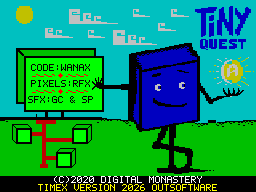
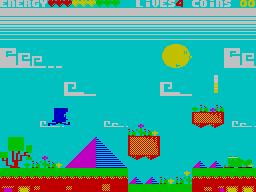
The Timex edition
The Outsoftware Mode 2 conversion is supplied as one TAP file. Its included loader uses TS-Pico and configures DOCK memory before starting the game.
Computer: Timex 2068
Edition: Mode 2
Format: TAP, in one ZIP
Interface: TS-Pico
Collection: Outsoftware
Collection files
Included version: Tiny Quest in Mode 2 with a TS-Pico loader
File: Tiny_Quest (Mode_2).tap
TAP size: 52,034 bytes
Credits
Original Commodore 64 game: Digital Monastery, 2020.
Authors: Andrea “Wanax” Schincaglia, code; Federico “Raffox” Sesler, graphics; Gaetano Chiummo and Stefano “Dustbin” Palmonari, music.
Timex conversion: Outsoftware, 2026 — using CLAUDE + CODE, as credited in the loader.
Loading with TS-Pico
Extract Tiny_Quest (Mode_2).tap from the ZIP and copy it into the SD card’s TAP folder as TINYQUEST.tap. From Timex 2068 BASIC, with that folder selected, mount the file with LOAD "tpi:TINYQUEST.tap", then start loading with LOAD "".
Controls
Start: press SPACE to continue through the opening screens and confirm START.
Game: O/P to move left/right; Q or SPACE to jump.
Menus: QAOP for directions and SPACE to confirm.
Options: 1 to redefine keys; 2 for Timex joystick L; 3 for Timex joystick R.
Other editions
Tiny Quest is also available for the Sinclair ZX Spectrum 128K and SAM Coupé.