Tiny Quest
Screenshots
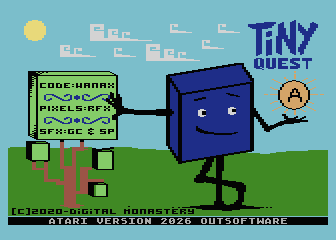
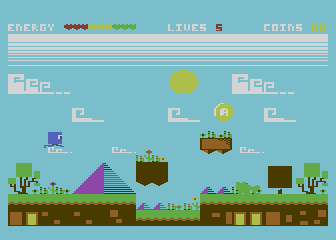
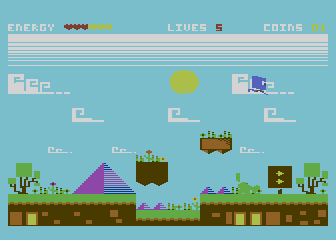
Guide Mr Cube across platforms and traps: collect the coins, open the way to the exit and reach it before his energy runs out. Tiny Quest joins the Atari XL collection with PAL and NTSC editions.
Download the game — ZIP (PAL + NTSC · CAR cartridge + ATX floppy)
The Atari XL edition
This edition of Tiny Quest for the Atari XL 8-bit computer family is supplied in one ZIP. It includes both PAL and NTSC versions, each available as a CAR cartridge image and an ATX floppy image.
Computer: Atari XL · Atari 800XL
Versions: PAL and NTSC
Media: CAR — cartridge; ATX — floppy
Download: one ZIP containing all four variants
Versions included in the ZIP
| Video | Media | File |
|---|---|---|
| PAL | CAR — cartridge | Tiny_Quest (PAL).car |
| PAL | ATX — floppy | Tiny_Quest (PAL).atx |
| NTSC | CAR — cartridge | Tiny_Quest (NTSC).car |
| NTSC | ATX — floppy | Tiny_Quest (NTSC).atx |
Choose the PAL or NTSC file matching your computer or emulator configuration. The archive preserves all four original files.
Loading
Extract the ZIP and choose the PAL or NTSC file matching your system. In the emulator, select an Atari 800XL with 64 KiB of RAM, set the matching video standard and disable BASIC.
CAR cartridge: insert the CAR file into the emulator’s cartridge slot, then start or reboot the computer.
ATX floppy: mount the ATX file in drive D1:, with no cartridge inserted, then start or reboot the computer.
Controls
Use a joystick in port 1. Press Fire to advance through the opening screens; select START in the menu and press Fire to begin.
During play, move the joystick left or right to move Mr Cube and press Fire to jump.
Credits
Original Commodore 64 game: Digital Monastery, 2020.
Authors: Andrea “Wanax” Schincaglia, code; Federico “Raffox” Sesler, graphics; Gaetano Chiummo and Stefano “Dustbin” Palmonari, music.
Atari XL conversion: Outsoftware, 2026, as credited on the title screen.